



Audio-Bearbeitung in Logic Pro X
15m • 2018
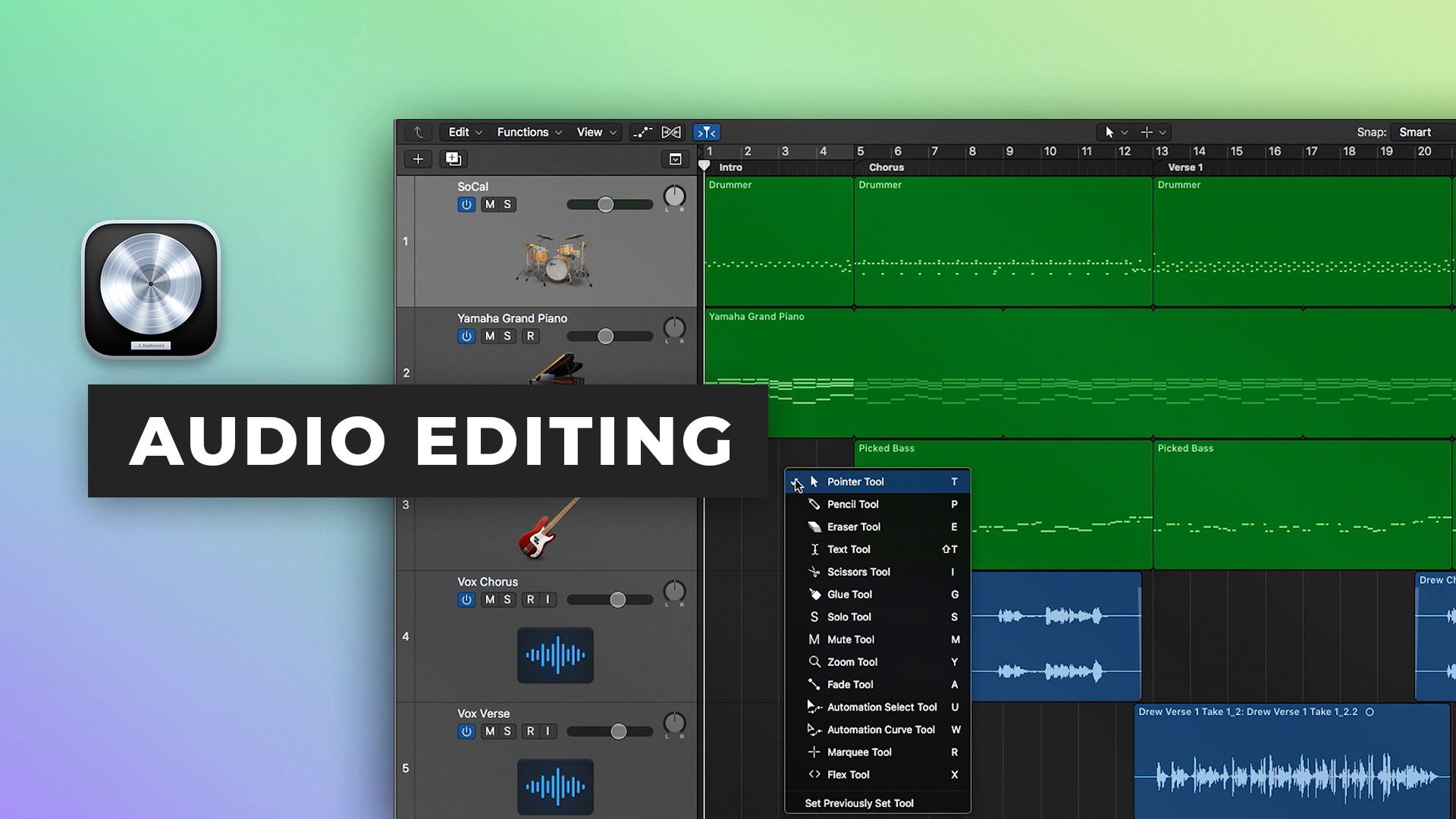
In Teil zwei unserer Logic Pro X Quickstart-Serie zeigt Scott Griffin Ihnen, wie Sie die leistungsstarken Audiobearbeitungsfunktionen von Logic Pro X nutzen können.
Erfahren Sie, wie Sie:
- Die Haupt- und Nebenwerkzeuge verwenden
- Zeit sparen, indem Sie Werkzeugkurzbefehle verwenden, um das Werkzeugmenü zu vermeiden
- Schnelle Fades und Überblendungen mit Fade-Klickzonen hinzufügen
- Schnell und präzise bearbeiten mit dem Marquee-Werkzeug
- Die Werkzeugleiste mit Tastenkombinationen umgehen
- Verwenden Sie die relativen und absoluten Rastermodi
- Nutzen Sie die Inspector-Funktionen wie Clip Grain, Loop, Fades und Umkehrrichtung
Sehen Sie Teil 3 hier
Die restliche Serie sehen Sie hier
Inside the mix
Inside the mix
Inside the mix
$49.00Inside the mix
Collective mix
$49.001 kostenlose EpisodeInside the mix
$30.00Tutorials
KOSTENLOSTutorials
KOSTENLOSTutorials
1 kostenlose EpisodeStart to finish
$21.00Tutorials
KOSTENLOSTutorials
$39.00Inside the mix
$29.00Tutorials
Inside the mix
Inside the mix
Inside the mix
$49.00Inside the mix
Collective mixLifeboats
$49.001 kostenlose EpisodeInside the mix
$30.00TutorialsMini shows
KOSTENLOSTutorialsExplained
KOSTENLOSTutorialsInterviews
1 kostenlose EpisodeStart to finish
$21.00TutorialsDAWs
KOSTENLOSTutorialsInterviews
$39.00Inside the mix
$29.00TutorialsExplained
Inside the mix
Inside the mix
Inside the mix
$49.00Inside the mix
Collective mix
$49.001 kostenlose EpisodeInside the mix
$30.00Tutorials
KOSTENLOSTutorials
KOSTENLOSTutorials
1 kostenlose EpisodeStart to finish
$21.00Tutorials
KOSTENLOSTutorials
$39.00Inside the mix
$29.00Tutorials
Inside the mix
Inside the mix
Inside the mix
$49.00Inside the mix
Collective mixLifeboats
$49.001 kostenlose EpisodeInside the mix
$30.00TutorialsMini shows
KOSTENLOSTutorialsExplained
KOSTENLOSTutorialsInterviews
1 kostenlose EpisodeStart to finish
$21.00TutorialsDAWs
KOSTENLOSTutorialsInterviews
$39.00Inside the mix
$29.00TutorialsExplained
