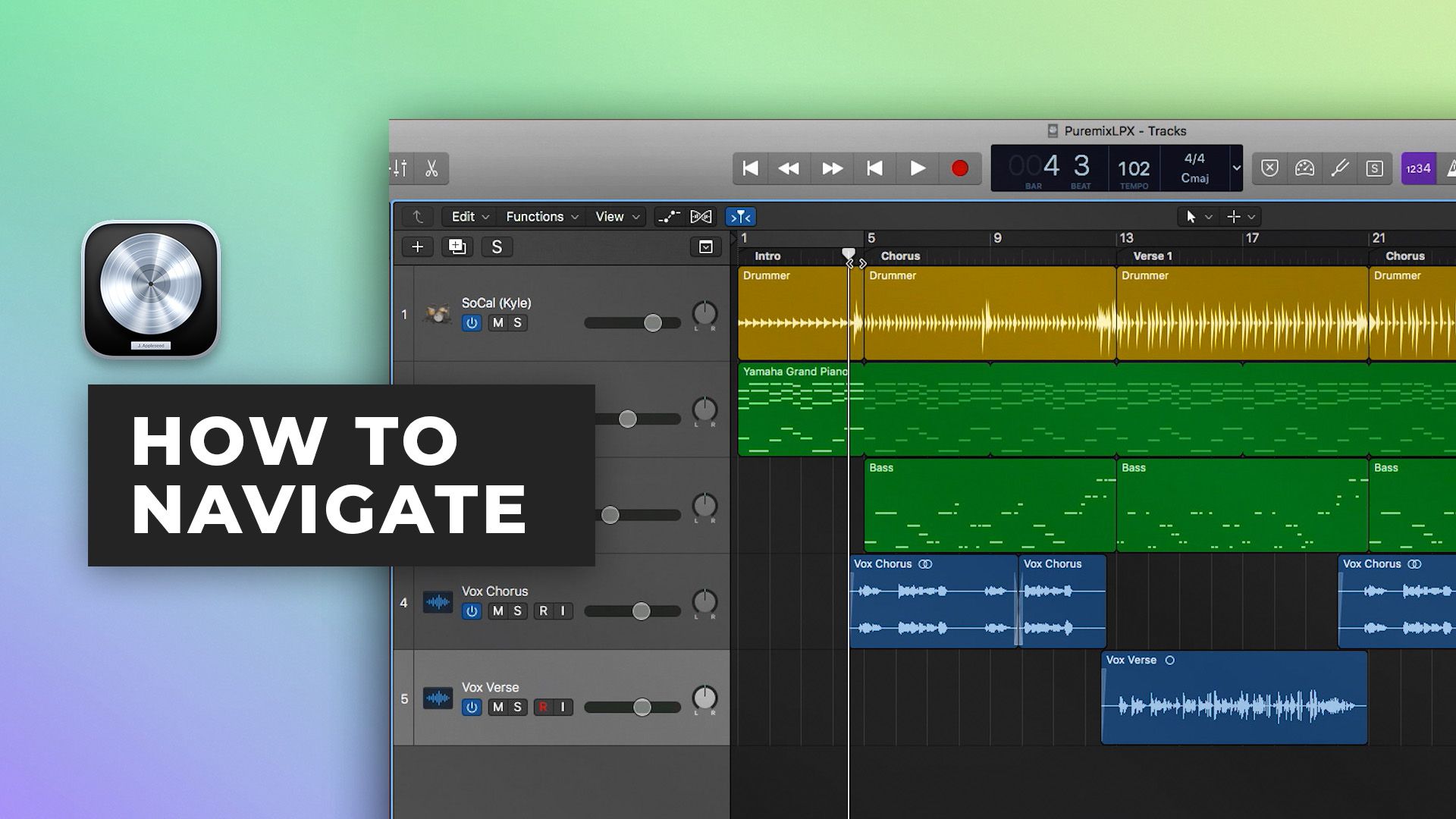









Wie man in Logic Pro X navigiert
12m • 2018
In Teil eins unserer Logic Pro X Quickstart-Serie zeigt Scott Griffin Ihnen die Umgebung von Logic Pro X und lehrt Sie, wie Sie:
- Ihr Projekt navigieren
- Das Erscheinungsbild der Umgebung anpassen
- Zeit sparen durch die Verwendung wichtiger Tastenkombinationen, um zu navigieren und Wichtige Aufgaben auszuführen
Selbst wenn Sie Logic Pro X schon eine Weile nutzen, werden Sie in dieser 12-minütigen Übersicht über die LPX-Oberfläche wahrscheinlich ein paar neue Tricks lernen.
Teil 2 anschauen hier
Den Rest der Serie sehen hier
Inside the mix
Inside the mix
$20.00Tutorials
$15.00Tutorials
Tutorials
$7.00Tutorials
$99.00Tutorials
KOSTENLOSStart to finish
$39.00Inside the mix
Inside the mix
KOSTENLOSTutorials
$49.00Tutorials
$19.00Tutorials
$14.00Tutorials
1 kostenlose EpisodeStart to finish
Inside the mix
Inside the mix
$20.00TutorialsMini shows
$15.00TutorialsExplained
Tutorials
$7.00TutorialsExplained
$99.00TutorialsMini shows
KOSTENLOSStart to finish
$39.00Inside the mix
Inside the mix
KOSTENLOSTutorialsInterviews
$49.00TutorialsExplained
$19.00TutorialsExplained
$14.00TutorialsExplained
1 kostenlose EpisodeStart to finish
Inside the mix
Inside the mix
$20.00Tutorials
$15.00Tutorials
Tutorials
$7.00Tutorials
$99.00Tutorials
KOSTENLOSStart to finish
$39.00Inside the mix
Inside the mix
KOSTENLOSTutorials
$49.00Tutorials
$19.00Tutorials
$14.00Tutorials
1 kostenlose EpisodeStart to finish
Inside the mix
Inside the mix
$20.00TutorialsMini shows
$15.00TutorialsExplained
Tutorials
$7.00TutorialsExplained
$99.00TutorialsMini shows
KOSTENLOSStart to finish
$39.00Inside the mix
Inside the mix
KOSTENLOSTutorialsInterviews
$49.00TutorialsExplained
$19.00TutorialsExplained
$14.00TutorialsExplained
1 kostenlose EpisodeStart to finish
