







Usando el tiempo flexible en Logic Pro X
14m • 2018
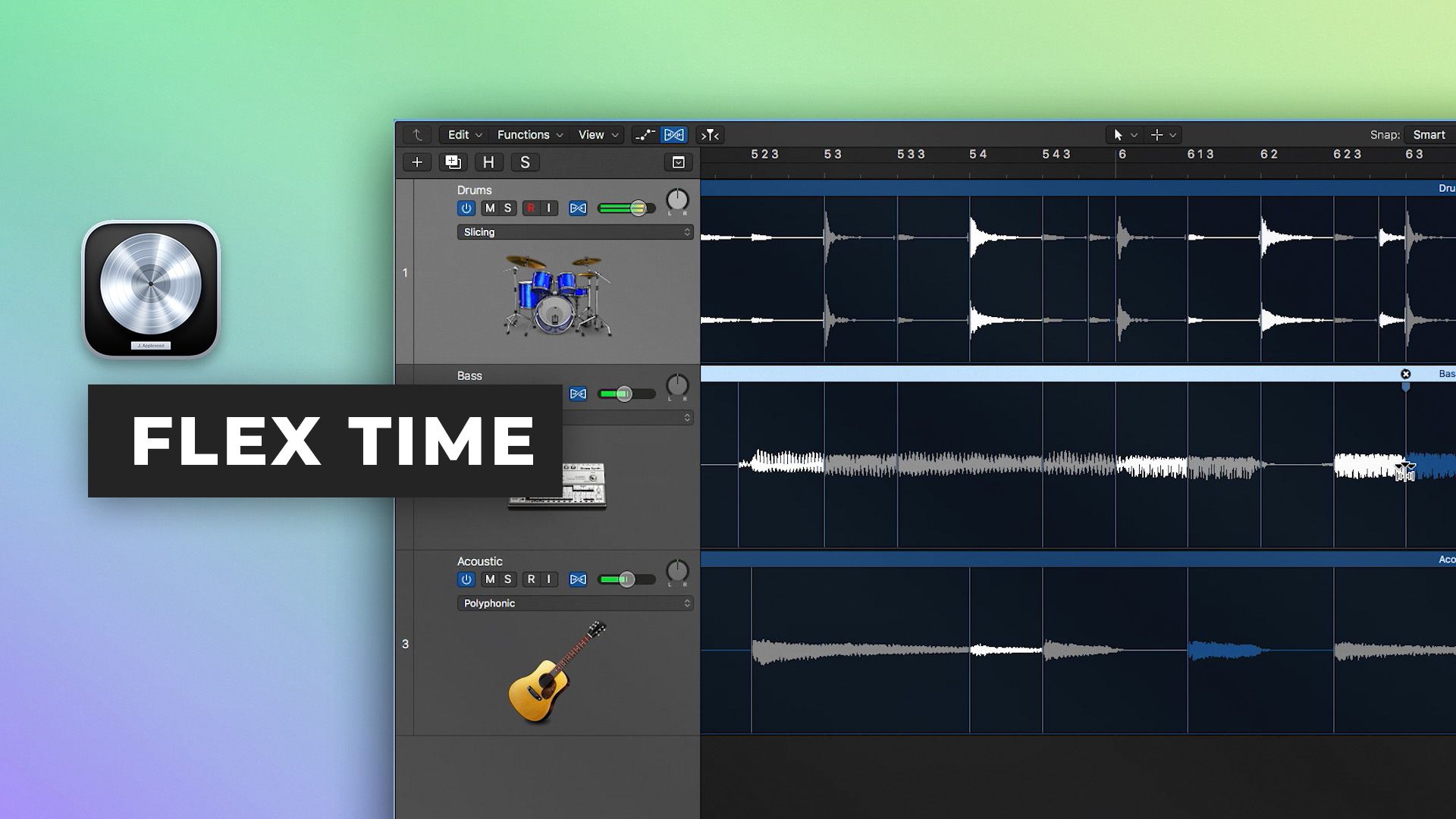
En la parte ocho de nuestra Serie Rápida de Introducción a Logic Pro X, Scott Griffin te muestra cómo manipular el tempo del audio utilizando Flex Time. Flex Time permite potentes opciones de edición basadas en el tiempo y es una técnica invaluable para comprender.
Aprende a:
- Corregir las interpretaciones de batería
- Unir múltiples interpretaciones a un groove unificado
- Crear y editar transitorios y marcadores flexibles para una edición sin costuras
- Usar puntos de anclaje para editar selectivamente porciones de la interpretación y dejar otras áreas sin editar
- Usar el efecto especial de velocidad y los algoritmos Tempophonic para ajustar el tono a tiempo y agregar efectos de estiramiento temporal granular
Mira la parte 9 aquí
Ve el resto de la serie aquí
GRATISTutorials
$34.001 episodio gratisStart to finish
$49.00Tutorials
GRATISTutorials
$29.00Tutorials
GRATISTutorials
Inside the mix
GRATISTutorials
GRATISTutorials
GRATISTutorials
Collective mix
Inside the mix
$27.00Tutorials
GRATISCuisine
GRATISTutorialsExplained
$34.001 episodio gratisStart to finish
$49.00TutorialsExplained
GRATISTutorialsInterviews
$29.00TutorialsExplained
TutorialsDAWs
GRATISTutorialsInterviews
Inside the mix
GRATISTutorialsInterviews
GRATISTutorialsExplained
Collective mixLifeboats
Inside the mix
$27.00TutorialsExplained
GRATISCuisine
GRATISTutorials
$34.001 episodio gratisStart to finish
$49.00Tutorials
GRATISTutorials
$29.00Tutorials
GRATISTutorials
Inside the mix
GRATISTutorials
GRATISTutorials
GRATISTutorials
Collective mix
Inside the mix
$27.00Tutorials
GRATISCuisine
GRATISTutorialsExplained
$34.001 episodio gratisStart to finish
$49.00TutorialsExplained
GRATISTutorialsInterviews
$29.00TutorialsExplained
TutorialsDAWs
GRATISTutorialsInterviews
Inside the mix
GRATISTutorialsInterviews
GRATISTutorialsExplained
Collective mixLifeboats
Inside the mix
$27.00TutorialsExplained
GRATISCuisine
