Andrew Scheps and the Neve 8068
In this excerpt from the video “Andrew Scheps Neve Console,” Scheps is discussing the vintage Neve 8068 mixer that he had installed at Monnow Valley Studio in Wales. It’s an older console, combining two modules that were built in different years— 1979 and approximately 1981. The full video (available to Puremix Pro members) goes into detail about the console and how to use it, but in this part, Scheps is explaining about the difference between a split console and an inline console, of which the 8068 is the latter.
How Recording Consoles Evolved
From mono boards to multitrack workflow
SPLITSVILLE
He begins by talking about how the first large-format consoles had multiple channels for microphones, but only a mono output. That’s because when those were built, recordings and broadcast were strictly mono.
Why engineers needed split consoles
Once multitrack recording and stereo production became standard in the recording industry it was necessary to create a console that could send not only mics and other sources to the recorder but also monitor the tape. This led to the invention of the split console, which had a channel section for connecting mics and sending them to tape, and a separate module that functioned as the monitor section.
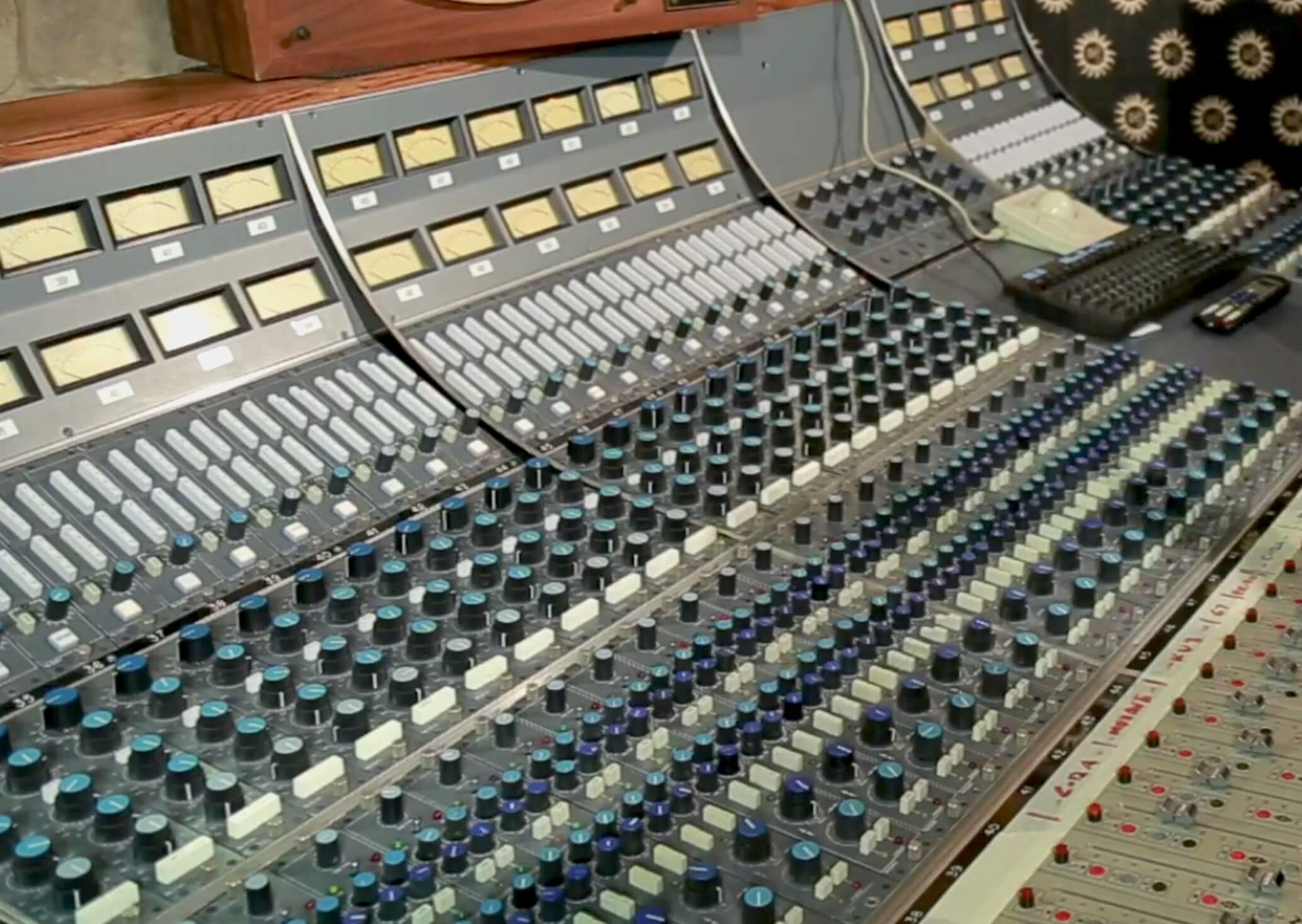
The Neve 8068 was one of the first inline consoles
Initially, explains Scheps, monitor sections in split consoles were rudimentary, having only knobs for each channel’s volume and switches to assign them to the left or right channel.
GETTING IN LINE: The Neve 8068, One of the First Inline Consoles
Inline consoles changed everything
Technology continued to advance, and by the late 1970s, when 16-track tape machines were state of the art, a new type of mixer, the inline console, was invented. Scheps points out that the Neve 8068 was one of the first.
The basic idea of an inline console is that rather than having separate areas for input and monitoring, those functions are combined on the same channel strips. Mic preamps, EQs and monitor sections are all included.
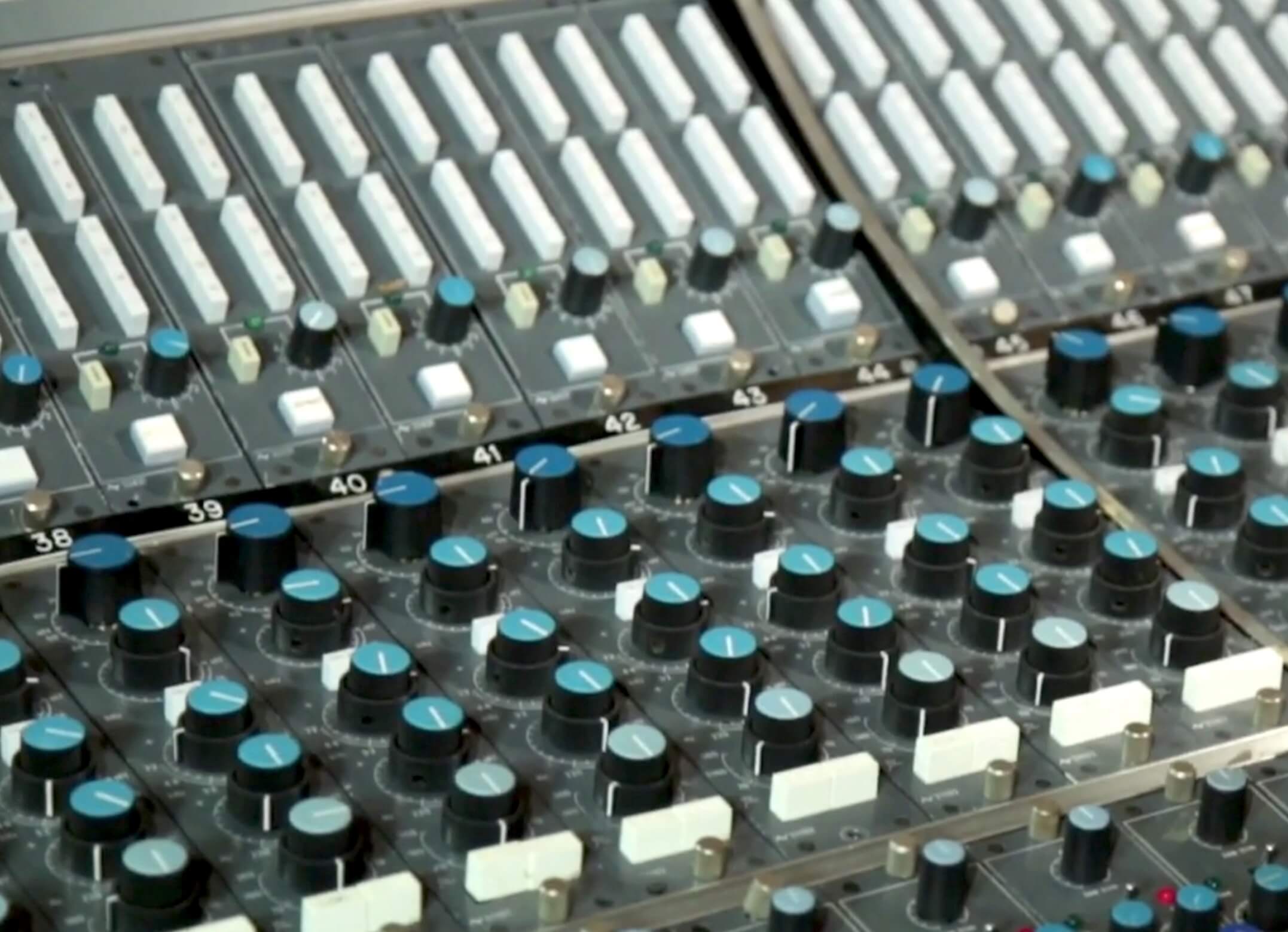
With the console in Record mode the five large knobs on each channel below the white record bus switches are for the mic pre level and EQ for the incoming signal.
Record vs Remix mode explained
Scheps explains that on the 8068, you can choose between two operation modes: Record and Remix. The former is for tracking and the latter for mixing. (Note that Remix mode uses the word “remix” in the old sense, meaning just mixing, as opposed to today’s definition of rearranging and re-orchestrating existing songs.)
CHANNEL SPLIT: How the 8068 Works in Record Mode
Tracking signal flow through the channel strip
So, in Record mode, which is better for tracking and overdubs, the 8068’s channel strips are essentially split in two. Scheps points out that the input from a mic comes through the mic pre, passes through the EQ section and then goes to the fader. From there it can be sent to one of four aux sends as well as one of the 16 multitrack buses. On the 8068, you route a signal to those busses by pressing buttons at the top of each channel, near the meter bridge. There are only 16 busses because 16-track was the maximum at the time the console was built.
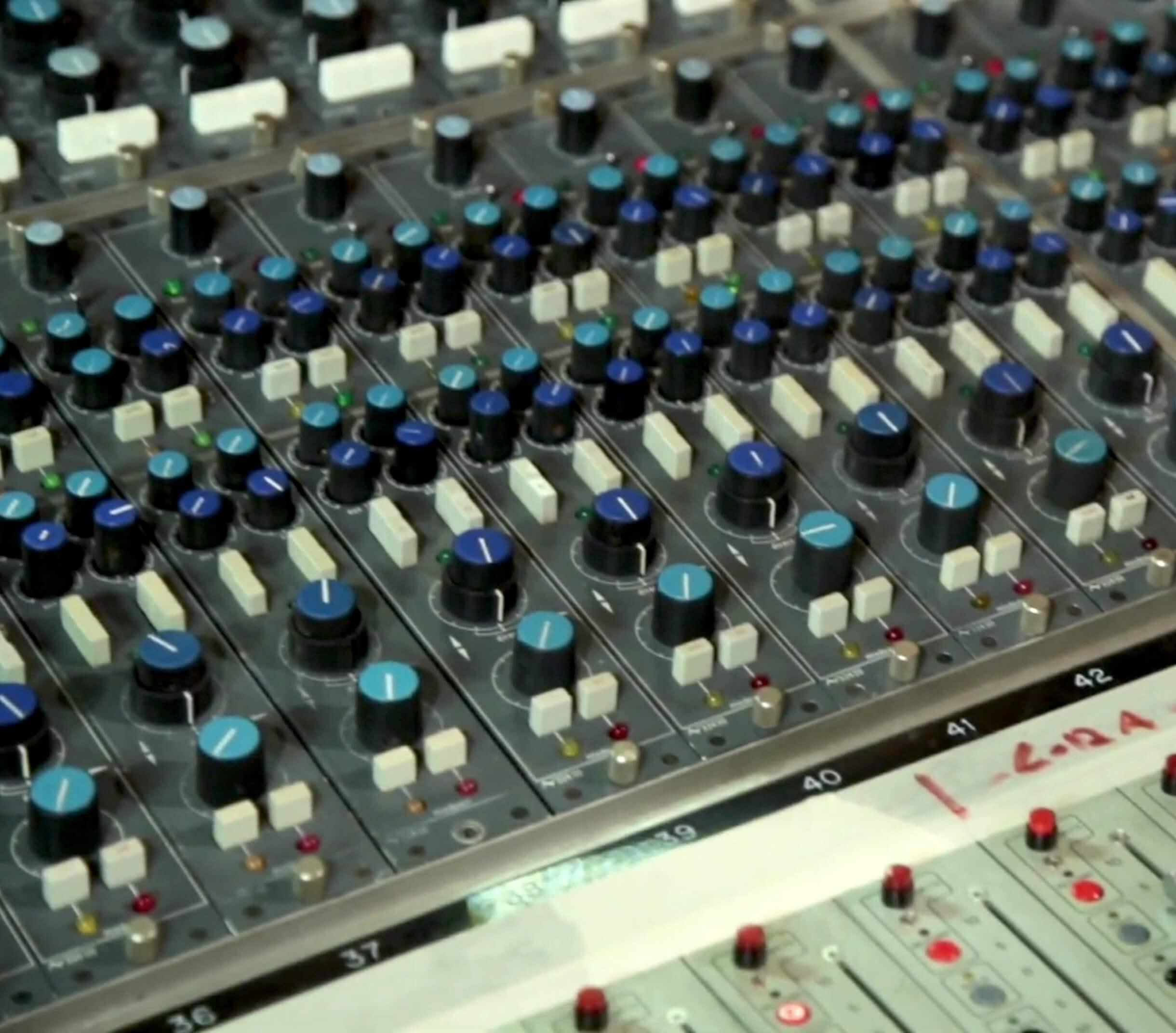
When in Remix mode, the monitor controls were above the faders near the bottom of each channel strip.
Monitoring tape returns during tracking
The other function of a channel in Record mode is to monitor signal coming back from tape. The signal comes into the mixer through the line input and then goes to a volume knob, four sends and the quad bus. The latter is what feeds the speakers.
How the 8068 Works in Remix Mode
In Remix mode, however, the channels are combined, so that you can input either a mic or a line input (such as the signal coming back from tape), and then route it through all eight aux sends (as opposed to only four in Record mode), all 16 multitrack busses and into the quad bus. This is clearly superior for mixing.
BUT WHAT ABOUT MY DAW? (DAW Mixers vs Hardware Consoles)
Why DAWs offer power but lack physical I/O control
Did you ever wonder how your DAW mixer compares to a hardware console in terms of functionality? Putting aside the issue of analog versus digital sound quality—particularly the vintage sonic attributes of a console like the 8068—and just looking at functionality, a DAW’s mixer has some big advantages. These include unlimited channel count, much deeper and powerful automation and total recall. That said, a DAW mixer only duplicates part of what a hardware console does.
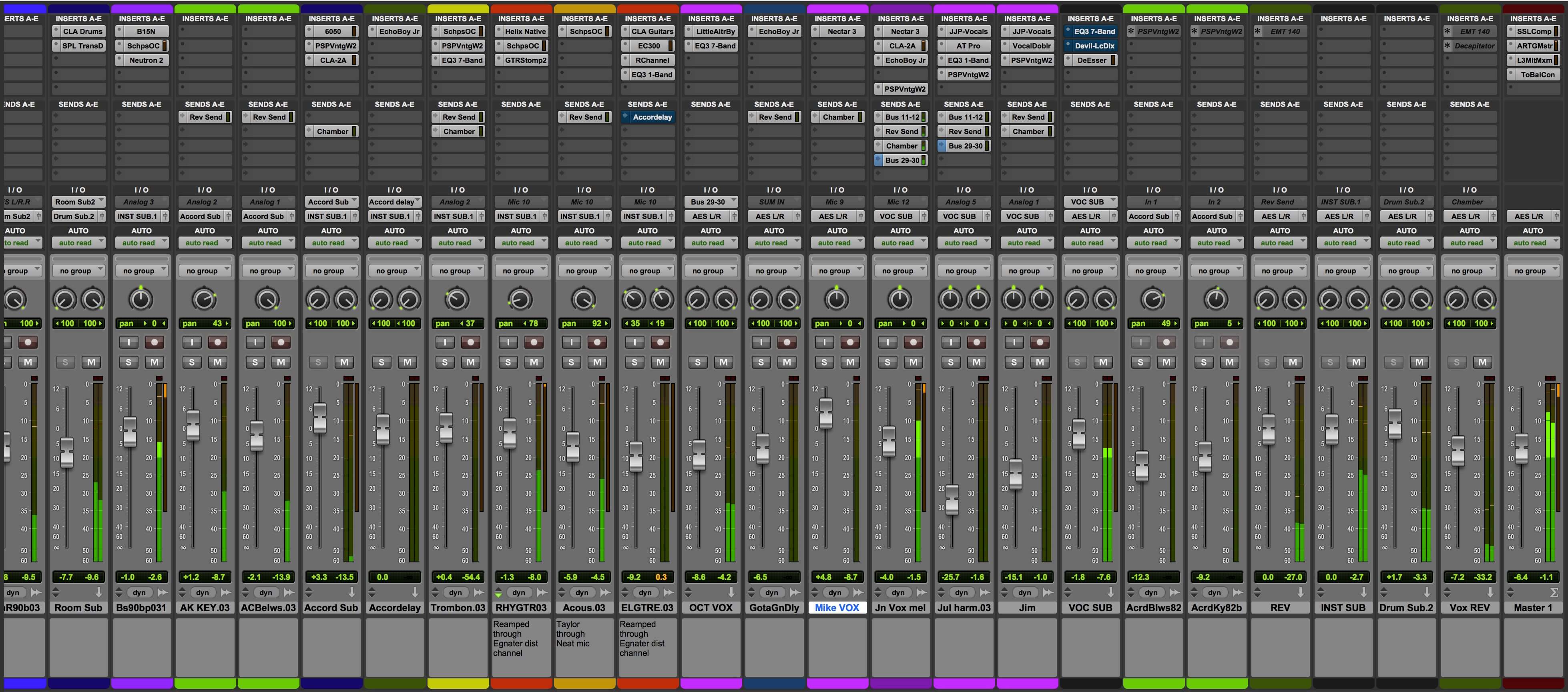
Your DAW mixer is extremely powerful, but because it exists only in software, it lacks input and monitor control features of a hardware console, and must be supplemented with outboard devices.
The missing features you must replace with outboard gear
For example, a DAW mixer doesn’t have its own mic pres and line inputs and outputs, those must come from an external audio interface or mic-pre unit into an interface. What’s more, because it exists entirely in software, your DAW mixer doesn’t have headphone outs or a talkback switch or a monitor switcher. You can get your headphone outputs from your audio interface, but if you need speaker switching and talkback, you’ll probably also need a monitor controller as well (although some interfaces offer some of those features).
SUMMING IT UP: Understanding Analog Summing vs Digital Summing
Why analog summing behaves differently from digital
Another big difference between a DAW mixer and an analog hardware mixer is the summing function. In a DAW, your individual tracks are digitally combined to a stereo mix when you mix down. In such a mix, you can’t go over 0dBFS (decibels full scale, the volume measurement used in digital audio). If you do, the audio gets hard-clipped, and can cause unpleasant distortion.
On an analog console, the tracks go through an analog summing stage, which provides more headroom because you can go above 0dBVU (decibels volume-units, the measurement used in analog recording on the meters). Unlike digital, going over 0 in analog can be a good thing, causing warm saturation with added harmonics.
How summing mixers bring analog character back into DAWs
Engineers and recording musicians who prefer to mix to analog from their DAW can add a summing mixer to their system. It’s an analog hardware unit that allows you to send either individual tracks or stems from your interface (typically from its analog outputs—you need at least eight outputs from your interface to make it work) and sums them to stereo in the analog domain. It’s yet another piece of outboard hardware you need to duplicate the functionality of an analog console.
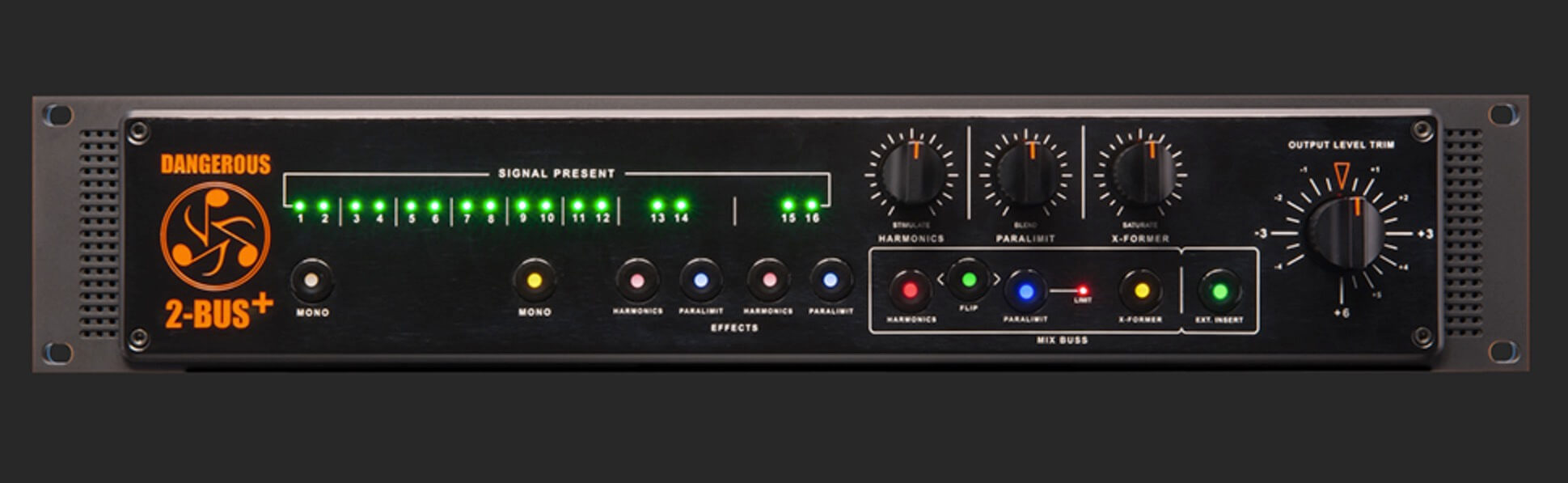
The Dangerous 2-Bus+ is an example of a summing mixer.
You typically configure your system so that the mixed output of the summing amp goes back into your interface, through its A/D converters and is recorded to a stereo track in your DAW.
