There are a million ways to record drums and just as many different philosophies on the matter. Fab's philosophy is to record drums as naturally as possible and capture just what is there.
A drum kit is essentially a collection of many different instruments, so the tricky thing is to give each one the presence needed for modern recordings. Drums represent a lot of information to capture, with a wide frequency response form 20Hz-20kHz and extremely large dynamics: the peak of a snare hit can easily be more than 20dB louder than its resonance.
We did an incremental demonstration, adding microphones one after the other, in order to show the importance of each microphone.
People often purchase Lauten microphones as their "Good" vocal mic. What we hope to illustrate here is that your "Good" vocal mic can easily help you improve your drum recordings.
All of the sound samples are without any processing; no EQ, no compression, just well placed microphones.
Featured Band : Grand Baton
Thierry Arpino: Drums
Jean-Christophe Maillard: Guitar & Vocal
First Microphone: The 'Kit'
Lauten Audio Atlantis FC-387 (neutral setting)
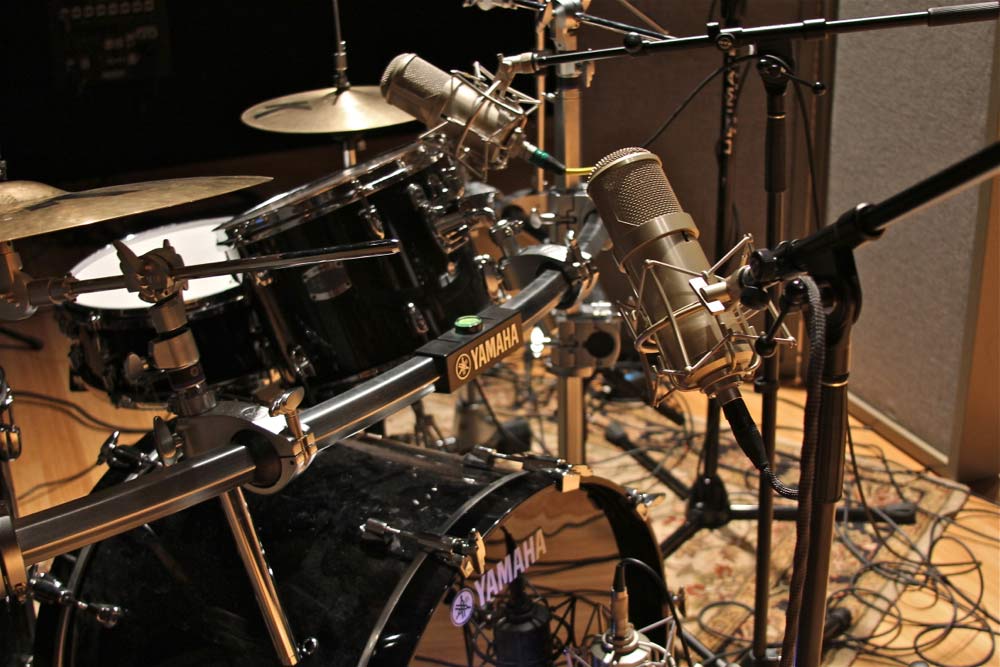
When drums were recorded back in the day, the number of tracks were very limited, so the use of a single microphone for drums was very common. The key to getting a good kit mic sound is to find the position where you can capture a good balance of all the elements of the drum set.
We placed the Lauten Audio Atlantis directly in front of the Yamaha kit.
Signal Path: Atlantis > Universal Audio 4-710 > Universal Audio Apollo
Second Microphone: The 'Kick Drum'
Lauten Audio Clarion FC-357
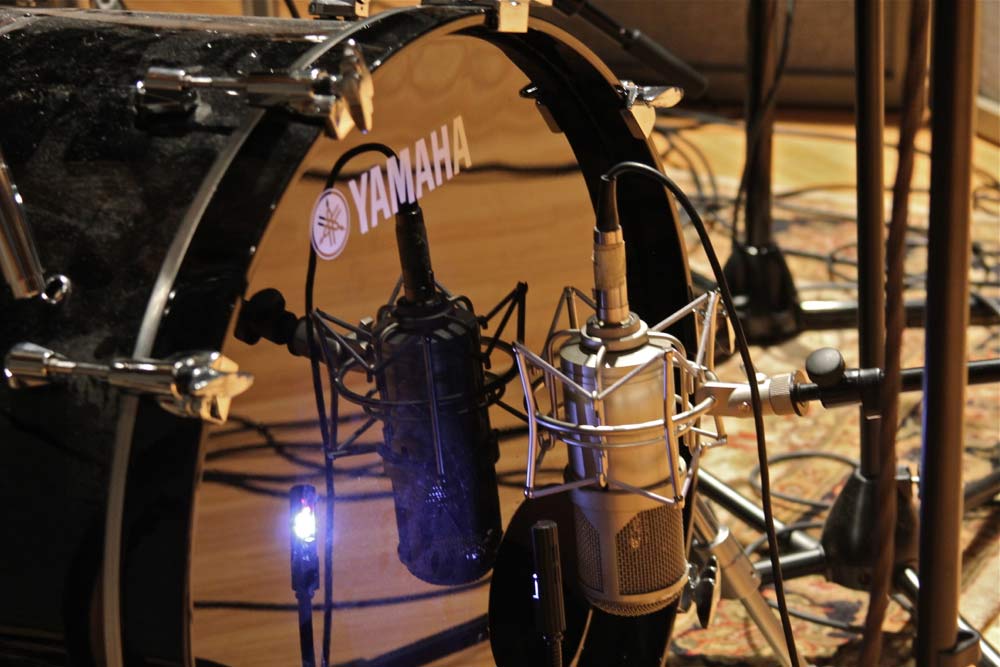
To get more punch and bottom end out of the kick drum, we placed a Lauten Audio Clarion in front of the hole of the kick drum.
Signal Path: Clarion > Universal Audio Apollo
Third Microphone: The 'Overheads'
Lauten Audio Torches LT-221
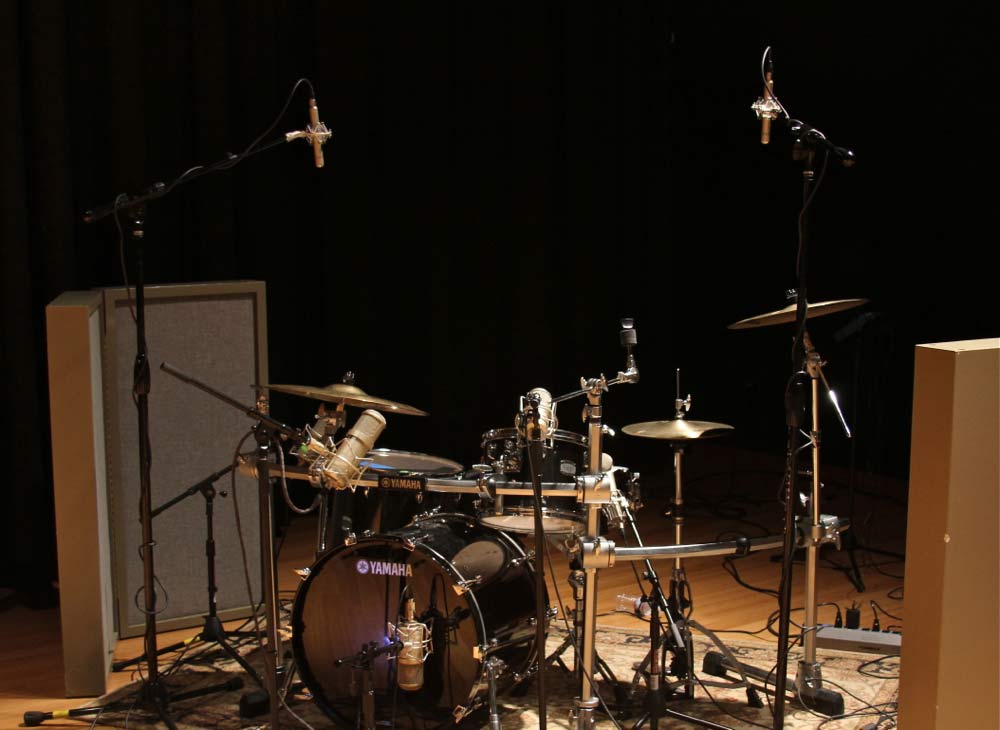
To add stereo information and capture more details of the hi-hat and cymbals, a pair of Lauten Audio Torches were positioned above the drum kit in a spaced pair.
You may notice than in the picture on the right, the two microphones are spaced fairly far apart. Someone asked me during the presentation about why we chose to place the overheads where we did:
Since we already have the Atlantis as a 'kit' mic in the middle, which is capturing a lot of the 'middle' information and quite a bit of cymbals and hi-hat, the overheads were positioned to get the left-right stereo information
Signal Path: Torches > Universal Audio 4-710 > Universal Audio Apollo
Fourth Microphone: The 'Toms'
Lauten Audio Clarion FC-357
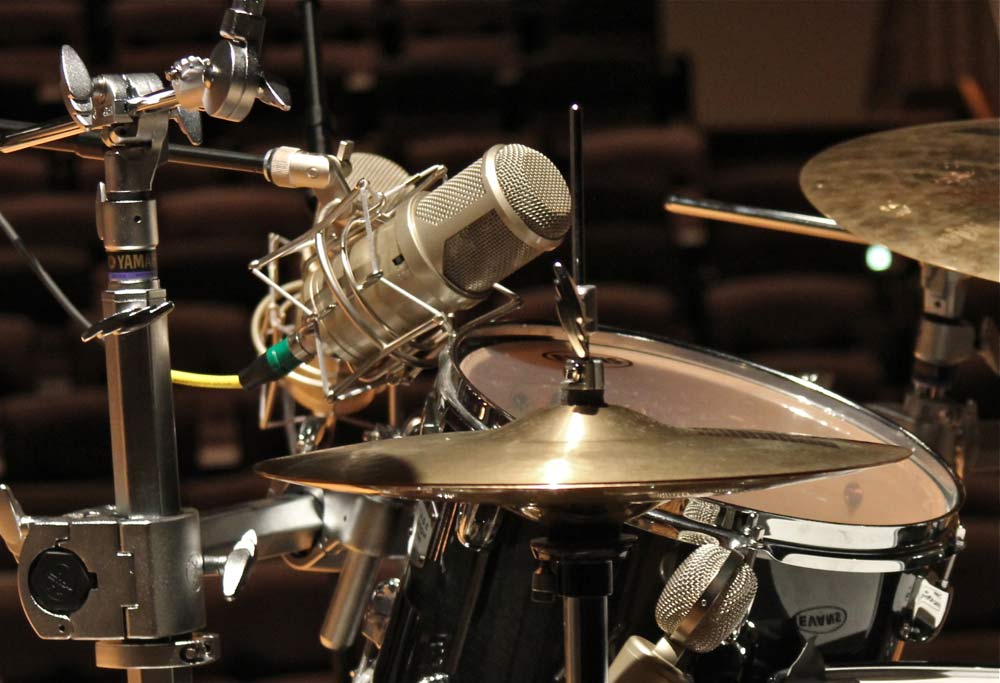
Although you can definitely work with the combination of microphones above for a drum recording, it could still use more punch and weight on the Toms, so we added a Clarion FC-357.
Signal Path: Clarions > Universal Audio Apollo
Fifth Microphone: The 'Snare'
Lauten Audio Horizon LT-321
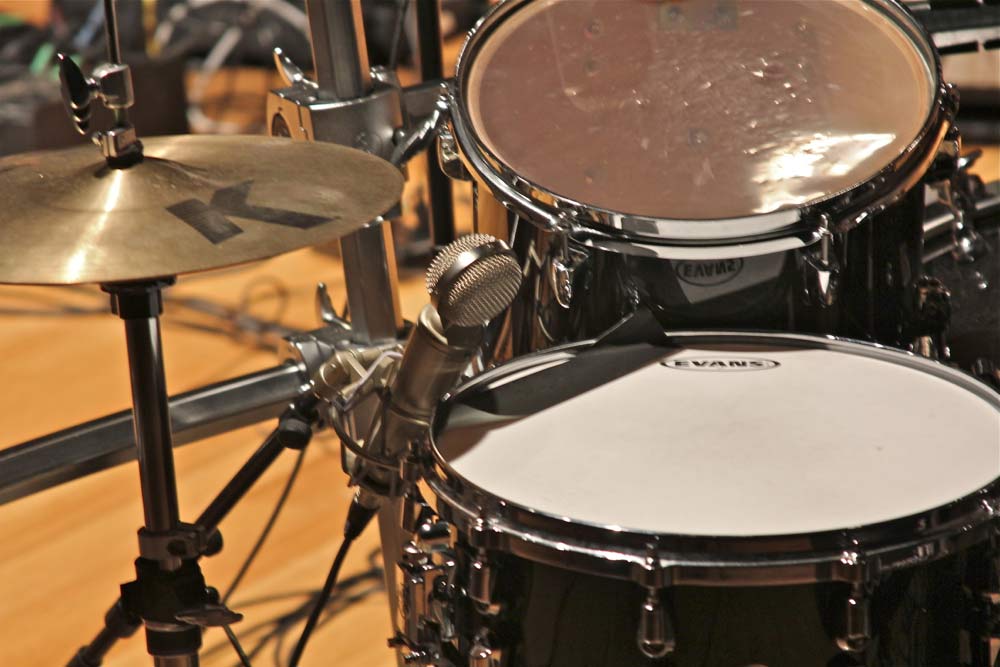
And finally, a Lauten Audio Horizon LT-321 on the snare to get more 'snap' and detail. Even though the snare is already very easy to hear, adding a close mic gives us a much clearer picture of the snare.
Signal Path: Horizon > Universal Audio Apollo
Recording Guitar and Bass
Lauten Audio Atlantis FC-387 and Lauten Audio Horizon LT-321M
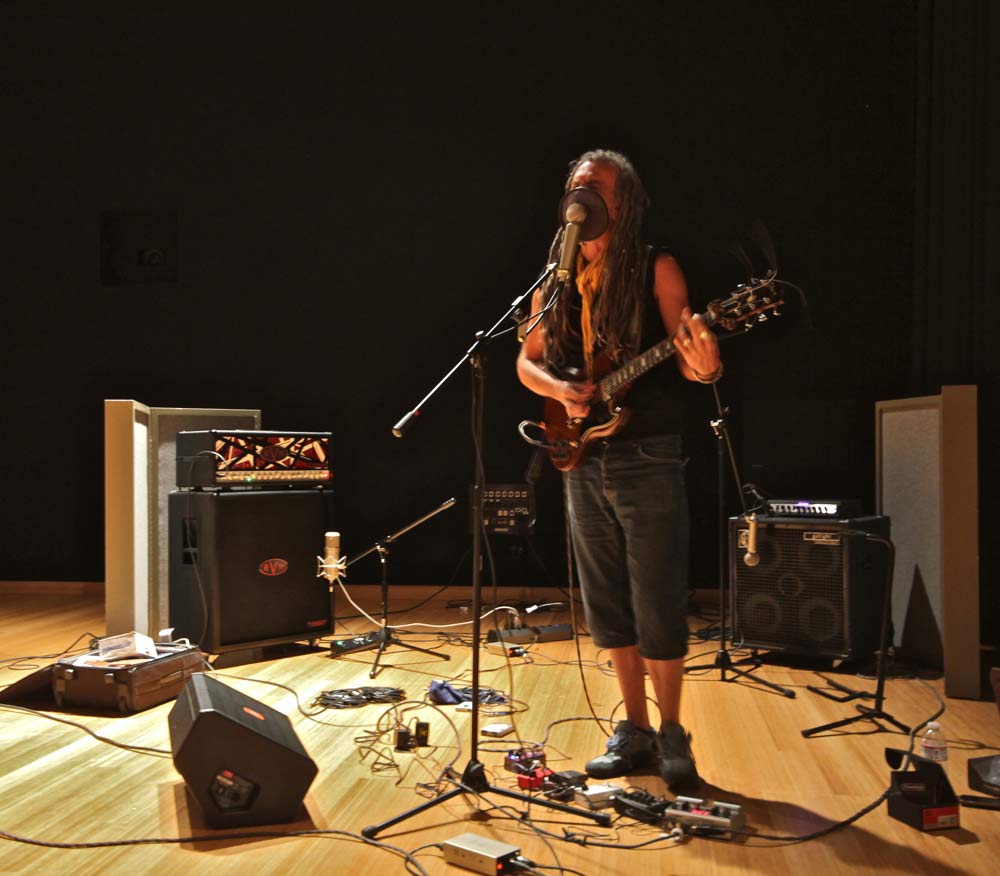

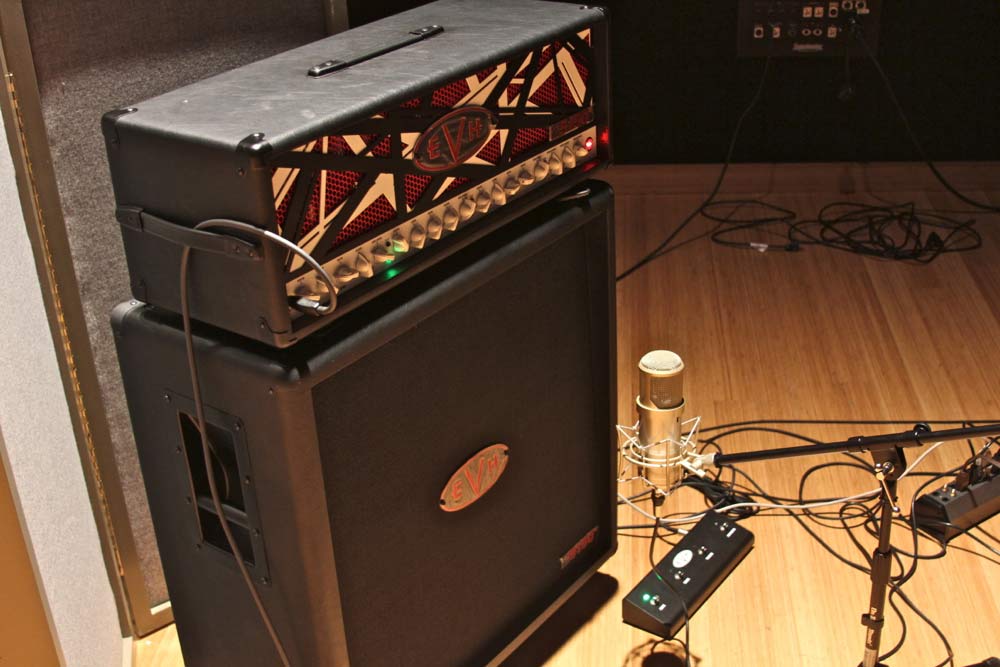
Drums are great, but they are even more fun when heard in context, so we brought JC Maillard in to do vocal and guitar.
Jean-Christophe plays a Gibson '74 SG into a unique set of pedals, then through both a guitar amp AND bass amp, at the same time (!)
We used the Atlantis on the guitar amp and the Horizon on the bass amp.
Jean-Christophe's pedal chain:
- RockBox Boiling Point
- BOSS OC-3 SuperOctave
- Lovepedal Mini Valve Boost Preamp
- MXR Bass D.I +
- Digitech Time Bender
After the first recording, we used the voicing switch on the Atlantis – from 'neutral' to 'forward' – to give more presence to the guitar part.
Signal Path: Atlantis and Horizon > Universal Audio 4-710 > Universal Audio Apollo
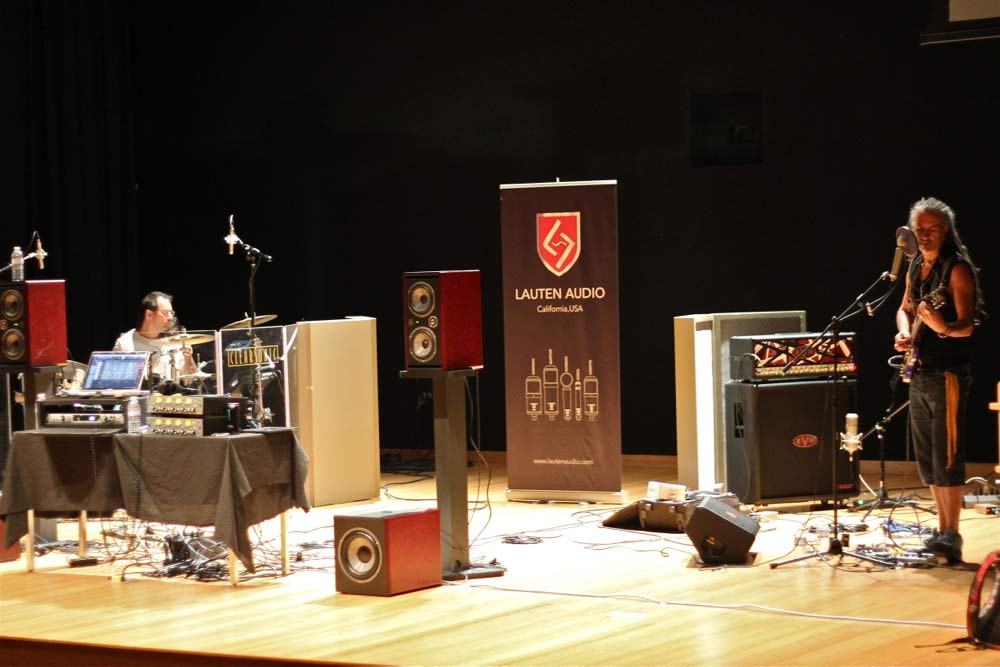
All Together Now - Drums, Guitar and Bass
Now let's see what everything sounds like altogether.
And for the last take, we had JC sing into the Lauten Audio Horizon LT-321. Once again, all the samples are raw without any processing or EQ.
Here's the isolated Vocal track, the bleed isn't too bad for being on the same stage as a loud drummer and just a few feet away from the guitar and bass amps.
And lastly, I had a chance to mix the final take of the song to show how you can transform these raw sounds into a finished sounding record.
If you would like to see more, please go to Ben Lindell's blog
