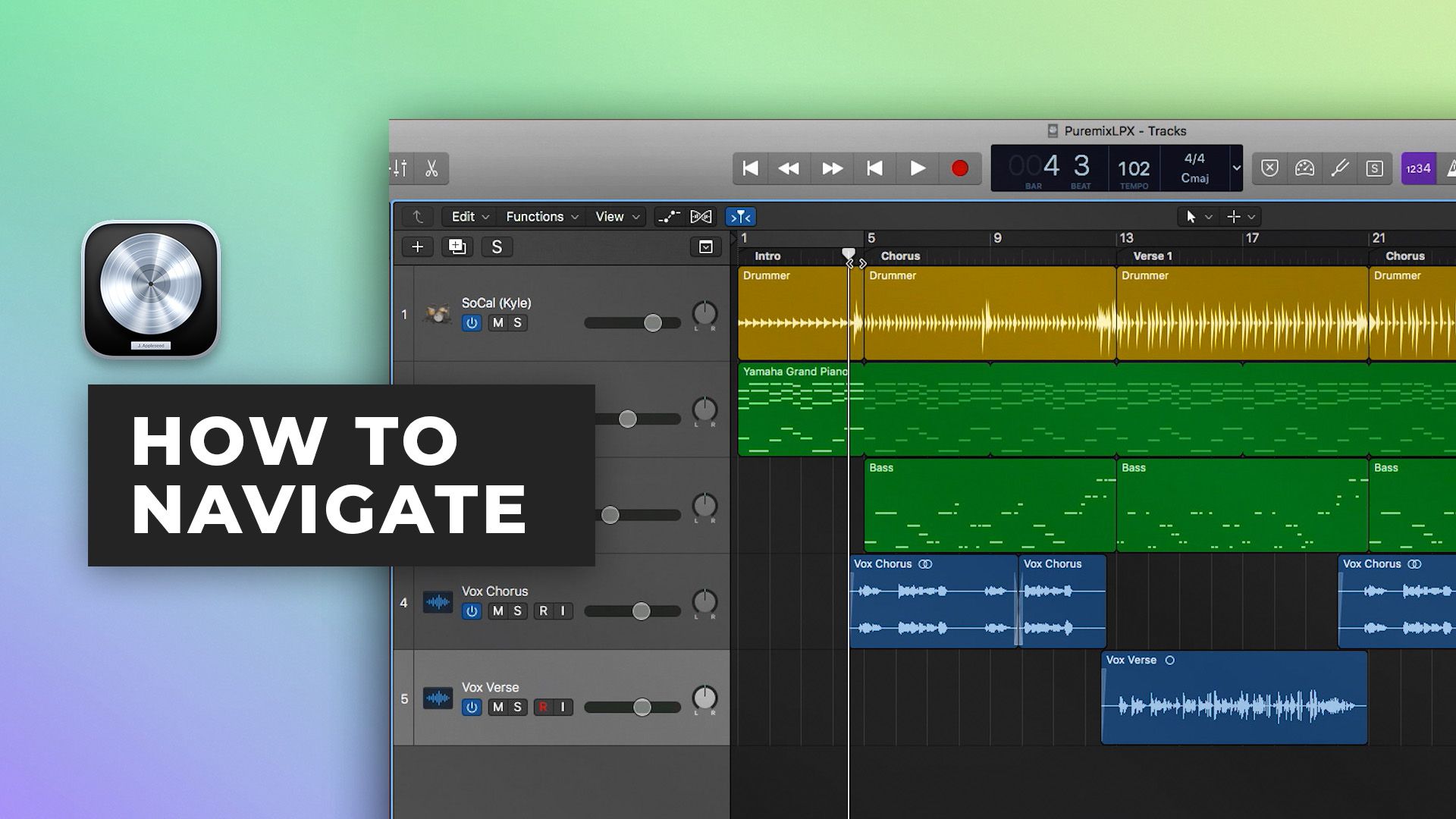







How to navigate in Logic Pro X
12m • 2018
In part one of our Logic Pro X Quickstart Series, Scott Griffin shows you around the Logic Pro X environment and teaches you how to:
- Navigate your project
- Customize the appearance of the environment
- Save time by using important shortcuts to navigate and perform key tasks
Even if you have been using Logic Pro X for a while, you are likely to pick up a few new tricks in this 12 minute review of the LPX interface.
Watch part 2 here
See the rest of the series here
$12.00Tutorials
Inside the mix
Tutorials
$29.00Tutorials
$29.00Tutorials
$19.00Tutorials
$99.00Tutorials
$49.00Inside the mix
$49.00Tutorials
FREETutorials
$20.00Tutorials
FREETutorials
$45.00Inside the mix
$34.001 free episodeStart to finish
FREETutorials
$12.00TutorialsExplained
Inside the mix
TutorialsExplained
$29.00TutorialsExplained
$29.00TutorialsTemplates
$19.00TutorialsExplained
$99.00TutorialsMini shows
$49.00Inside the mix
$49.00TutorialsTemplates
FREETutorialsInterviews
$20.00TutorialsExplained
FREETutorialsExplained
$45.00Inside the mix
$34.001 free episodeStart to finish
FREETutorialsExplained
$12.00Tutorials
Inside the mix
Tutorials
$29.00Tutorials
$29.00Tutorials
$19.00Tutorials
$99.00Tutorials
$49.00Inside the mix
$49.00Tutorials
FREETutorials
$20.00Tutorials
FREETutorials
$45.00Inside the mix
$34.001 free episodeStart to finish
FREETutorials
$12.00TutorialsExplained
Inside the mix
TutorialsExplained
$29.00TutorialsExplained
$29.00TutorialsTemplates
$19.00TutorialsExplained
$99.00TutorialsMini shows
$49.00Inside the mix
$49.00TutorialsTemplates
FREETutorialsInterviews
$20.00TutorialsExplained
FREETutorialsExplained
$45.00Inside the mix
$34.001 free episodeStart to finish
FREETutorialsExplained
